본문으로 바로가기

illustration of life

현재위치 :: HOME BLOG CATEGORY SEARCH ARCHIVE TAGS MEDIA LOCATION GUESTBOOK

네비게이션

  • 홈
  • profile
  • write
  • facebook
  • Youtube
  • 태그
  • 방명록
  • Admin
관리자
  • 블로그 이미지
    illu_yun

    Technical Artist / All rights reserved by illu since 2001 / illustor@gmail.com

    링크추가
  • 글쓰기
  • 환경설정
  • 로그인
  • 로그아웃

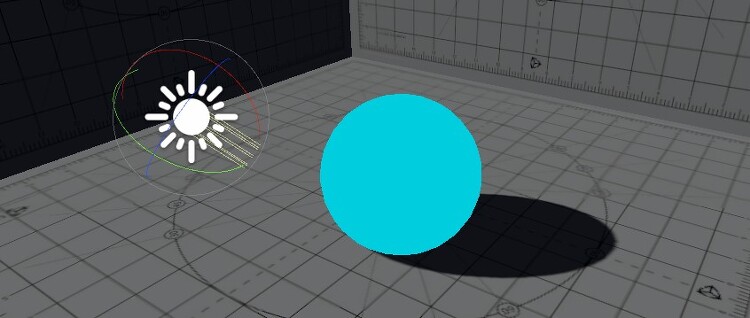
Unity Lightweight PBR Sample Shader

Shader "LWTestCustom" { Properties { [Head(Lightweight Standard shader)] _TextureSample0("Albedo(R), Alpha(A)", 2D) = "white" {} [Space(20)] [NoScaleOffset][Normal]_TextureSample1("Normal Texture", 2D) = "bump" {} [Space(20)] [NoScaleOffset][GAMMA]_TextureSample2("Metallic(R), Smoothness(A)", 2D) = "white" {} _Metallic("Metallic value", Range(0,1)) = 1 _Smoothness("Smoothness value", Range(0,1))..

Technical Report/Unity 2019. 5. 24. 16:56

Unite Seoul 2019 Training Day - Surface Shader for Artist

중구난방으로 이런저런 자료가 다 들어가서 좀 산만합니다. 제대로 유니티 셰이더를 입문하시려면 정종필 교수님의 '유니티 셰이더 스타트업'으로 시작하시는걸 추천드립니다. PDF 다운로드 링크 : [PDF 다운로드] 혹시 잘못된 내용이 있으면 욕하지 말고 조용히 저한테 알려주세여~~

Technical Report/Unity 2019. 5. 23. 17:56

vertex info debugging script

VertexInfo.csusing UnityEngine;[ExecuteAlways][RequireComponent(typeof(MeshFilter))]public class VertexInfo : MonoBehaviour{ [Header("Vertex Selection Settings")] [SerializeField] private float selectionRadius = 5.0f; [SerializeField] private Color highlightColor = Color.red; private Mesh mesh; private int selectedVertexIndex = -1; private Vector3 selectedVertexWorldPos; pri..

Technical Report/Unity 2019. 4. 18. 00:07

Unity SimpleLit HLSL

LW Custom SimpleLit Shader Shader "LWSimpleLit" { // Keep properties of StandardSpecular shader for upgrade reasons. Properties { _Color("Color", Color) = (0.5, 0.5, 0.5, 1) _MainTex("Base (RGB) Glossiness / Alpha (A)", 2D) = "white" {} _Cutoff("Alpha Cutoff", Range(0.0, 1.0)) = 0.5 _Shininess("Shininess", Range(0.01, 1.0)) = 0.5 _GlossMapScale("Smoothness Factor", Range(0.0, 1.0)) = 1.0 _Glossi..
Technical Report/Unity 2019. 4. 8. 18:49

Unity Surface LightDir

Surface Shader에서 라이트 벡터를 확인하는 방법은 surface에서는 lightDir로 정의되어 있다고 하지만 픽셀 셰이더에서 o.Albedo = lightDir; 이렇게 하면 당연히 에러를 뿜는다. surface에서 라이트 벡터를 컬러로 확인하려면 o.Emission = _WorldSpaceLightPos0; 이렇게 하던가 half4 LightingUnlit(SurfaceOutput s, half3 lightDir, half atten) { half3 le = lightDir; half4 c; c.rgb = s.Albedo * le; c.a = s.Alpha; return c; } o.Albedo = fixed3(1,1,1); 낮에 설명하다 나도 헷갈려서....ㅋ

Technical Report/Unity 2019. 2. 23. 00:37

Surface Shader Stencil buffer toggle

https://docs.unity3d.com/Manual/SL-Stencil.html Ref Ref referenceValue 비교될 값(Comp가 always 가 아닌 경우) 그리고/또는 버퍼에 기록될 값(Pass, Fail, Zfail 중 하나가 대체할 예정일 경우)입니다. 0255 사이의 정수입니다. ReadMask ReadMask readMask 0255 사이의 정수인 8비트 마스크이며 레퍼런스 값을 버퍼의 콘텐츠와 비교할 때 사용합니다(referenceValue & readMask) comparisonFunction (stencilBufferValue & readMask). 디폴트는 255 입니다. WriteMask WriteMask writeMask 0255 사이의 정수인 8비트 마스크이며 버..

Technical Report/Unity 2019. 2. 19. 12:57

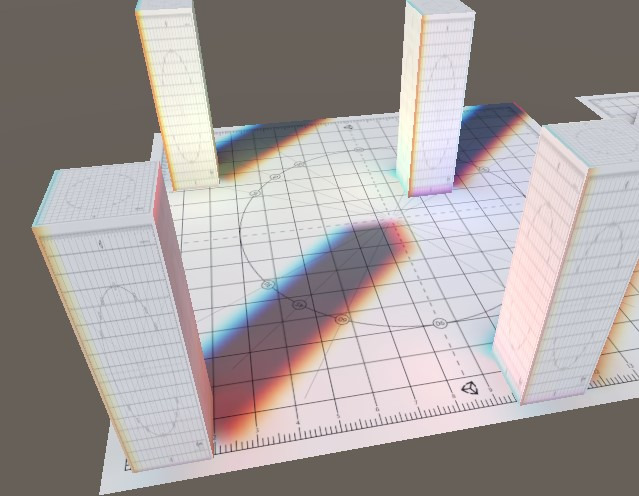
UV offset RGB divided Lightmap chromatic aberration fragment shader

UV offset RGB 분할을 이용한 Unity lightmap 색수차표현 // Upgrade NOTE: commented out 'float4 unity_LightmapST', a built-in variable // Upgrade NOTE: commented out 'sampler2D unity_Lightmap', a built-in variable // Upgrade NOTE: replaced tex2D unity_Lightmap with UNITY_SAMPLE_TEX2D Shader "Test/FragmentLightmap" { Properties { _MainTex ("Texture", 2D) = "white" {} _Tile01("Lightmap R(U) Tiling", Range(-0.01..

Technical Report/Unity 2019. 2. 15. 10:55

Fragment Lambert Lit AlphaBlend

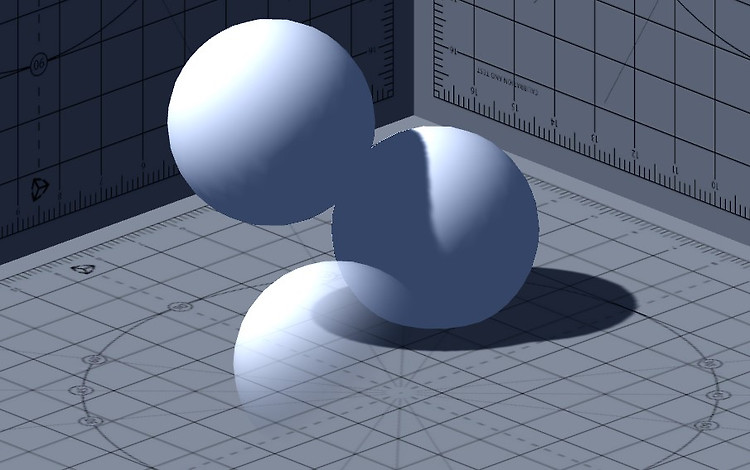
앞 포스팅에서 (https://illu.tistory.com/1371) Lambert 라이팅을 적용한 이후 이제 라이팅에 영향을 받는 알파블렌드를 구현하는 포스팅이다. Shader "Test/FragmentLambertAlpha" { Properties { _TintColor("Color", color) = (1,1,1,1) _MainTex("Texture", 2D) = "white" {} _Alpha("Alpha Range", Range(0,1)) = 0.5 [Enum(UnityEngine.Rendering.BlendMode)] _SrcBlend("Src Blend", Float) = 1 [Enum(UnityEngine.Rendering.BlendMode)] _DstBlend("Dst Blend", F..

Technical Report/Unity 2019. 2. 9. 18:40

Fragment Lambert Lit

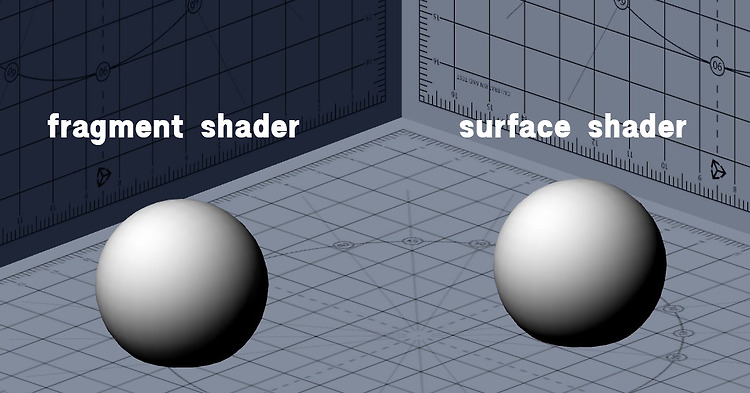
Lambert Lighting을 fragment에 적용해서 비교해 본다.(surface 하면서 간단한건 슬슬 tutorial에 넣어야 할듯해서...) 원문은 여기 참조 : https://docs.unity3d.com/Manual/SL-VertexFragmentShaderExamples.html 기본 구조에 대한 설명은 : https://illu.tistory.com/1197 우선 Surface code Shader "Test/SurfaceLambert" { Properties { _MainTex("Texture", 2D) = "white" {} } SubShader { Tags { "RenderType" = "Opaque" } CGPROGRAM #pragma surface surf SimpleLamber..

Technical Report/Unity 2019. 2. 9. 14:50

Material Property Drawer Example

// Upgrade NOTE: replaced 'mul(UNITY_MATRIX_MVP,*)' with 'UnityObjectToClipPos(*)' Shader "Test/Material Property Drawer Example" { Properties { [Header(Material Property Drawer Example)] [Space(20)] _TintColor("TintColor", Color) = (1,1,1,1) _MainTex ("Texture", 2D) = "white" {} [NoScaleOffset]_SecondTex ("Additional Texture", 2D) = "white" {} [Space(30)] //Toggle shader feature. it can use onl..

Technical Report/Unity 2019. 2. 7. 14:09
  • 이전
  • 1
  • 2
  • 3
  • 4
  • 5
  • 6
  • ···
  • 11
  • 다음

사이드바

NOTICE

  • Profile
  • 전체 보기
MORE+

CATEGORY

  • Life (1041)
    • Works (102)
      • 2D (32)
      • 3D (28)
      • Design (10)
      • official works 3D (32)
    • Scenes of Road (161)
      • Scene of Road (39)
      • Cats... and... (24)
      • Travel and People (39)
      • music and lylic (32)
      • about... something (27)
    • Sketch (134)
      • Dessin (19)
      • 2D Sketch (82)
      • 3D Sketch (14)
      • Travel and Sketch (19)
    • Technical Report (258)
      • Tutorials (36)
      • Unity (109)
      • Unreal (19)
      • Graphics Tech Reports (71)
      • Other things (12)
      • R&D test (10)
      • Global Reporting (1)
    • Diary (385)
      • 2020-2025 (24)
      • 2015-2019 (102)
      • 2014 (47)
      • 2013 (49)
      • 2012 (47)
      • 2011 (53)
      • 2010 (42)
      • 2008-2009 (21)

RECENTLY

  • 최근 글
  • 최근 댓글

최근 글

최근댓글

LINK

  • 대마왕님네
  • 오즈라엘
  • 대혁님네
  • woojin
  • 도훈형
  • 이장희(서울스케치)
  • 어떤 개발자의 금서목록
  • 흑기사의 방랑일지(shader)
  • Spikezang(Worldbuilder)
  • Chi Keen Hui
  • dandoombuggyart
  • Technical Effect
  • canny708
  • walll

VISITOR

오늘
어제
전체
  • 홈으로
  • 방명록
  • 로그인
  • 로그아웃
  • 맨위로
SKIN BY COPYCATZ COPYRIGHT illustration of life, ALL RIGHT RESERVED.
illustration of life
블로그 이미지 illu_yun 님의 블로그
MENU
  • 홈
  • profile
  • write
  • facebook
  • Youtube
  • 태그
  • 방명록
  • Admin
CATEGORY
  • Life (1041)
    • Works (102)
      • 2D (32)
      • 3D (28)
      • Design (10)
      • official works 3D (32)
    • Scenes of Road (161)
      • Scene of Road (39)
      • Cats... and... (24)
      • Travel and People (39)
      • music and lylic (32)
      • about... something (27)
    • Sketch (134)
      • Dessin (19)
      • 2D Sketch (82)
      • 3D Sketch (14)
      • Travel and Sketch (19)
    • Technical Report (258)
      • Tutorials (36)
      • Unity (109)
      • Unreal (19)
      • Graphics Tech Reports (71)
      • Other things (12)
      • R&D test (10)
      • Global Reporting (1)
    • Diary (385)
      • 2020-2025 (24)
      • 2015-2019 (102)
      • 2014 (47)
      • 2013 (49)
      • 2012 (47)
      • 2011 (53)
      • 2010 (42)
      • 2008-2009 (21)
VISITOR 오늘 / 전체
  • 글쓰기
  • 환경설정
  • 로그인
  • 로그아웃
  • 취소

검색

티스토리툴바